
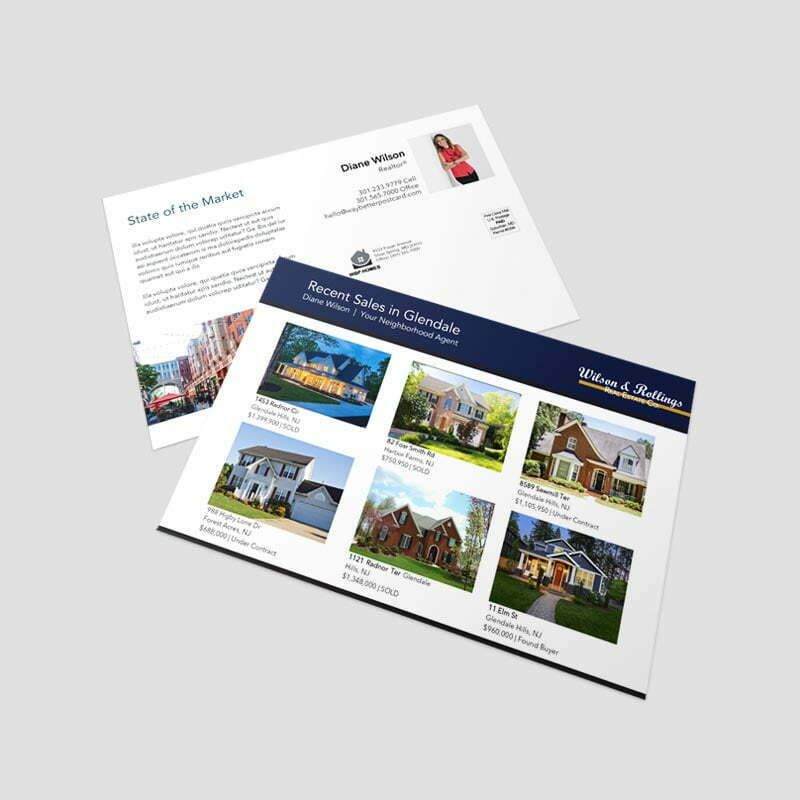
Year in Review

Product Details
Paper & Specs
Make a Statement with Different Sizes:
- Standard 4.25″ x 5.50″
- Jumbo 5.5″ x 8.5″
- Super Jumbo 6″ x 9″
- Panoramic 5.5″ x 11″
- Panoramic Wide 6″ x 11″
- Giant 8.5″ x 11″
Durable-High Quality Paper Stock:
- 12pt Premium Coated Paper
- 14pt Premium Coated Paper
- 16pt Premium Coated Paper
We know the presentation your card makes is important upon arrival. All of our paper selections exceed USPS requirements. They also will help provided the best overall protection withstanding potential damage from USPS processing – depending on where your postcards are headed – they may be processed on 2-4 machines and travel in trucks, planes, and/or containers.We do carry over 20 other postcard suitable papers and can obtain just about any paper next day from our mill partners. If your looking for something to meet your requirements send us a note!
Add Additional Coating:
The paper mills provide coated paper, however it has no real gloss or matte/silk finish, unlike text of book paper we are using heavier caliper weight card/board stock.We offer (3) additional coatings that enhance the finish look and feel to one or both sides of your card.
- **Gloss UV Coating** – Adds a glossy sheen and helps in the reduction of smudging or scratches that can occur on postal processing equipment.
- **Matte UV Coating** – Almost the opposite of the above, this enhances a duller appearance and reduces the reflection of light off the card.
- **Soft Touch UV Coating** – Creates a velvety texture. The paper becomes “soft” to the touch and increases the tactile appeal.
Print Recommendations
Print-Ready FilesIt a common term used every day in commercial printing, but it can mean different things. They are essential elements your file needs to ensure it translates from your computer to the printing press accurately and consistently without the need for any additional edits or adjustments.PDF FormatWhether you’re designing a postcard, property brochures or perfect bound marketing booklets the first step in creating a file for online printing is knowing what format it’s in. A PDF is the best format.Other File FormatsOther formats have broader editing capabilities, such as Adobe Photoshop (.psd format), Illustrator (.ai format) or InDesign (.indd/imdl). They can work however you have Package and Zip with Links and Font Folders and save as an IMDL otherwise they cannot be used.Formats like Microsoft Document (.docx), PowerPoint (.ppx) or Publisher (.pub) are not optimized for a printing press. And formats like .png and .jpeg. are static images that, if designed correctly, can be printed, but there will most likely be a charge to convert them. Nothing will advance however without your approval.Print-Ready File RequirementsTo ensure your file is ready for press and other online printing services, follow these guidelines: All of your images should be high resolution. We recommend images are 300 PPI for small format projects like booklets, cards or brochures, and 150 PPI for large format projects like custom signs and banners.
- Make sure your files use CMYK colors for the most accurate comparison between what you see on your screen and what is produced with the press (not guaranteed to match exactly)
- Your design files must have the appropriate bleed to ensure any variances in commercial production don’t affect your print. .125″ or 1/8″ variance in the event that the machines drift slightly in any direction. Because of this, your finished size should be expanded by 1/4″. Thus the final PDF file size for a 8.5×11 Brochure will actually be 8.75 x 11.25
- Your design files should have all transparent objects, images or drop shadows flattened. PMS Pantone colors will be converted on the fly to CMKY unless for Signs and you have ordered PMS Colors.
General Rule As long as you have a PDF with high resolution images in the CMYK color space with the appropriate bleed, you’ll be on your way to creating the correct print-ready file and your own exceptional project!
